
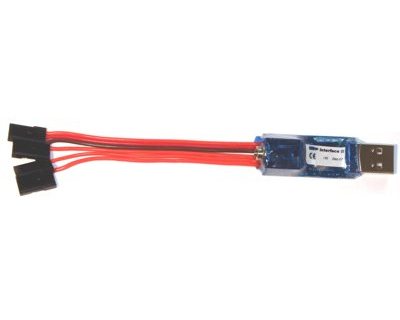
R/C USB-Interface II for flight simulators
Technical data
-
It can be used by modern notebooks equipped without gameport.
-
Supports USB 1.1, USB 2.0, Hot-Plugging and is powered by USB
-
Works with all transmitters: Though easily exchangeable transmitter cords, you can use one USB-Interface with different transmitters
-
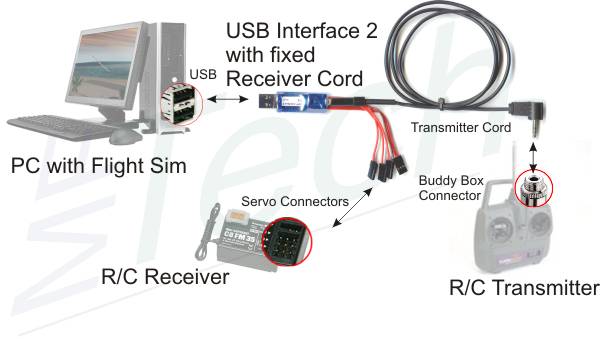
It can be connected with an R/C receiver. So a transmitter without buddy box or PPM signal can be made suitable for simulators. The USB-Interface supplys the receiver with power. It reads up to 4 R/C channels from the receiver.
-
Up to 8 R/C channels are transmitted to the PC. Consequently, you can also control flaps, retractable landing gear, .. in suited simultators with the R/C transmitter.
-
The USB-Interface II is programmable: Assignment of axis and buttons, reaction of buttons can be reprogrammed quickly and easily.
-
ast and precise digitalization with 256 steps
-
flashing control LED
-
New, smaller package: It has the size of a memory stick and is plugged directly into the USB port. If your USB port is difficult to access you can use an USB extender cable.
-
Other approved features are unmodified.
Compatibility
After having installed the HID-driver (HID-driver, Windows included), the USB Interface is instantly ready for operation on Win98 SE, WinME, Win2000, WinXP (instruction manual usb-interface_en.pdf [210kB]), LINUX, Mac OS X (Screenshots osx.pdf [280kB]), .. (in general: all O/S that support HID USB joysticks). It has a 2m cable and works with nearly all R/C transmitters equipped with a buddy box.The USB Interface works with most R/C simulators that can be controlled by a normal joystick:
|
|
Connectivity
Programming tool for RC USB-Interface II
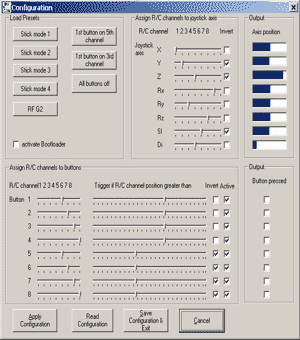 |
The Interface is programmed with IntCon intcon.zip [zip 4MB] or intcon.exe [installer 3MB]. Assignment of axis and buttons can be chosen freely. The program runs on Windows 98 to Windows XP. A brief instruction manual is here: intcon.pdf [150kB] |
transmitter cord
The USB-Interface hard- and software is designed to work with all transmitters. The Interface is equipped with a connector for transmitter cords fitting your individual buddy box.
|
 260 kB],
 260 kB],
 260 kB]